GPT Image 2.5
GPT Image 2.5 is OpenAI's newest image model, released September 8, 2026. Generate and edit images online with GPT Image 2.5 Flare for speed or GPT Image 2.5 Sunburst for precision: sharper detail, faithful reference photos, targeted edits that leave the rest untouched, and 1K / 2K / 4K output with up to 16 reference images.
Reference Fidelity
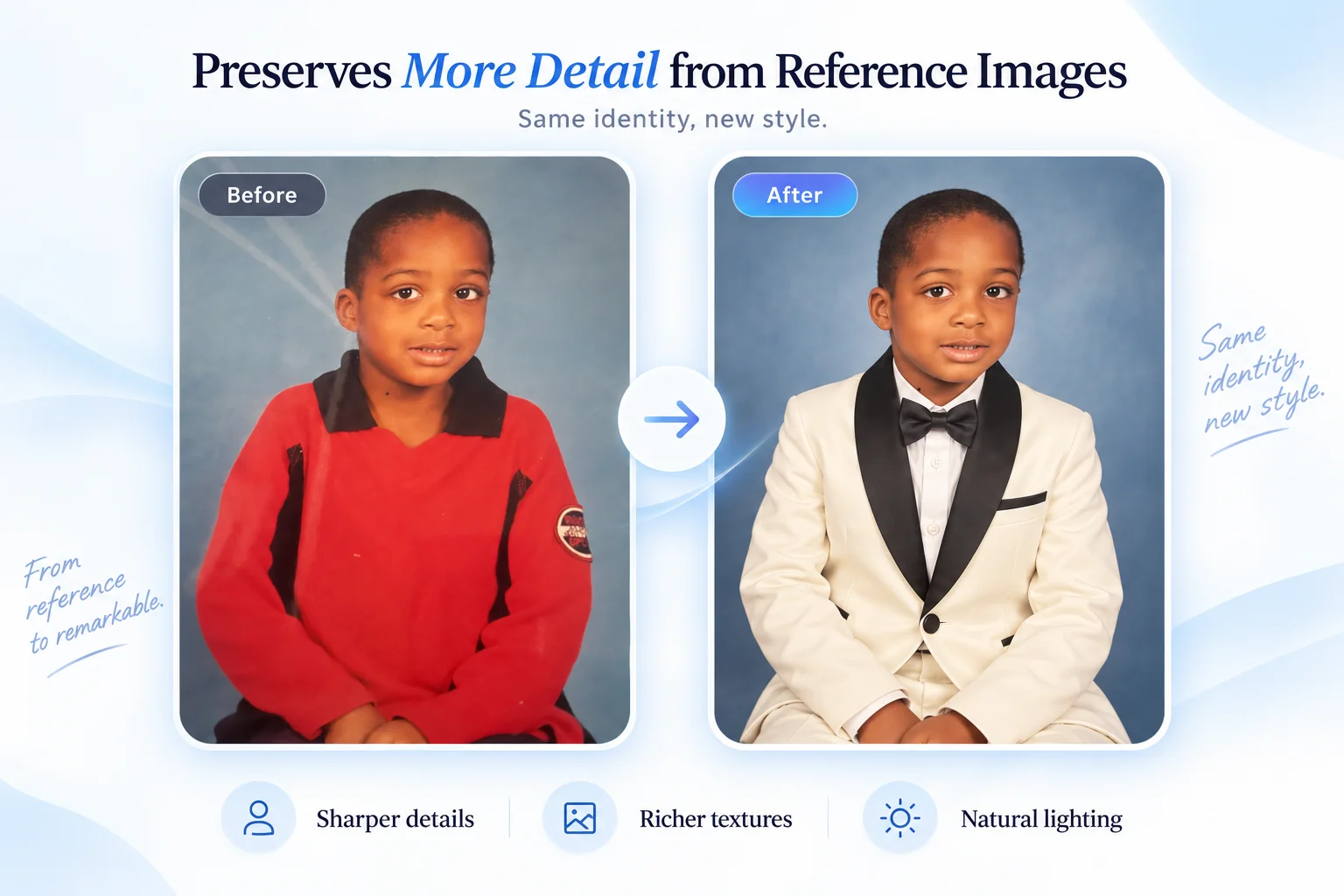
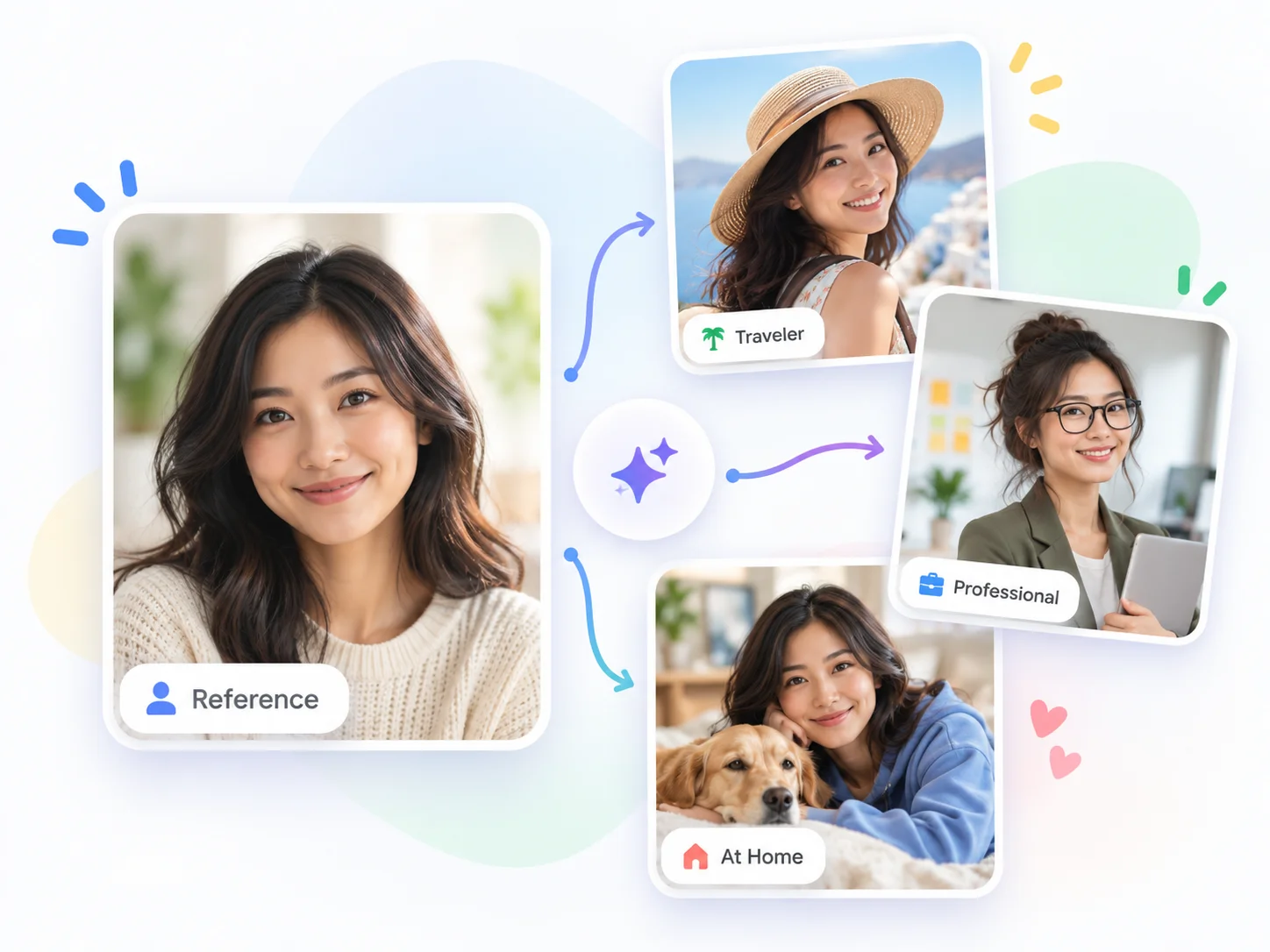
GPT Image 2.5 keeps faces, products, and places recognizable when you move them into a new scene, style, or outfit. Upload up to 16 reference images and the distinctive features carry through instead of drifting.
Edit Only What You Ask
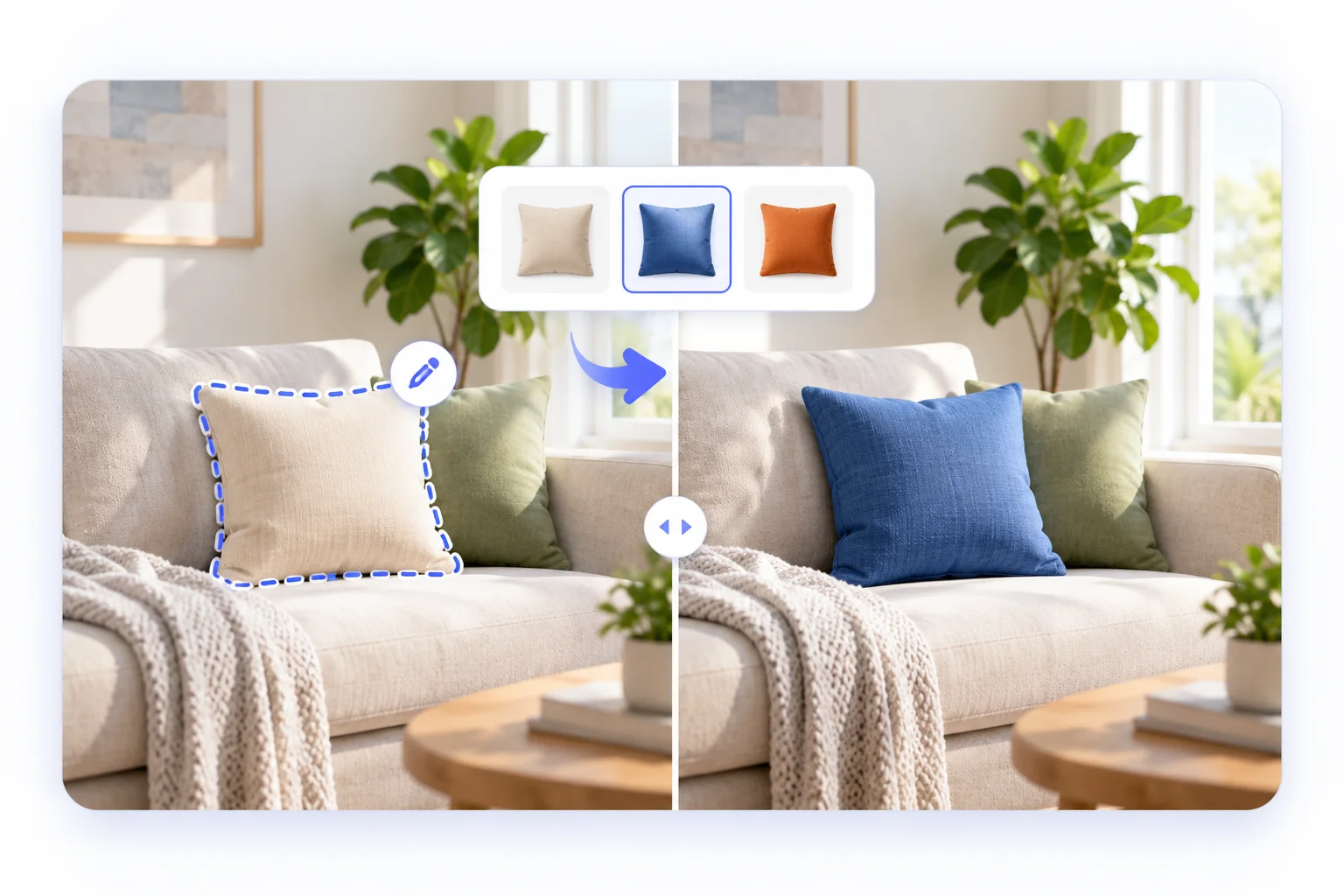
Change a wall color, swap a pillow, or rewrite a headline while GPT Image 2.5 leaves the composition, lighting, and everything else exactly where it was. Earlier edits survive later ones across multi-turn refinement.
Natural Light & Rich Texture
Compared with GPT Image 2, GPT Image 2.5 renders softer, more believable lighting and richer material detail: fabric, glass, skin, stone, and metal all read as photographed rather than painted.
Flare for Speed, Sunburst for Polish
GPT Image 2.5 Flare cuts latency by up to 50% versus GPT Image 2 and is the default for everyday work. GPT Image 2.5 Sunburst spends more time per image for tighter control on production-ready assets. Same price, one-click switch.
Complex Briefs, One Pass
Layered prompts with multiple subjects, spatial relationships, in-image text, brand styling, and transparent backgrounds come out coherent. GPT Image 2.5 follows long, multi-clause instructions without dropping requirements.
1K, 2K and 4K in 13 Ratios
Pick 1K for fast drafts, 2K for social and web, 4K for print and campaign hero images. GPT Image 2.5 supports 13 aspect ratios from 21:9 cinematic to 9:16 vertical, plus auto framing that follows your reference.
Same Person, New Scene, Nothing Lost
This is the headline improvement in GPT Image 2.5. Upload a reference photo and ask for a new outfit, setting, or era, and the model preserves the identity that matters: face shape, expression, hair, and the small details that make a subject recognizable. The same holds for products and places. On the Arena image-edit leaderboard GPT Image 2.5 Sunburst and GPT Image 2.5 Flare hold the top two spots, ahead of GPT Image 2, Seedream 5.0 Pro, and Nano Banana Pro, and reference fidelity is a big reason why. It makes avatar tools, character systems, and product-scene generation dependable instead of a lottery.
Prompt
Take the boy from the reference school photo and dress him in a white tuxedo with a black bow tie for a formal portrait. Keep his face, expression, and skin tone exactly the same; only change the outfit and lighting.
Reference → formal portrait
One reference, four consistent variations
Targeted Edits That Stay Targeted
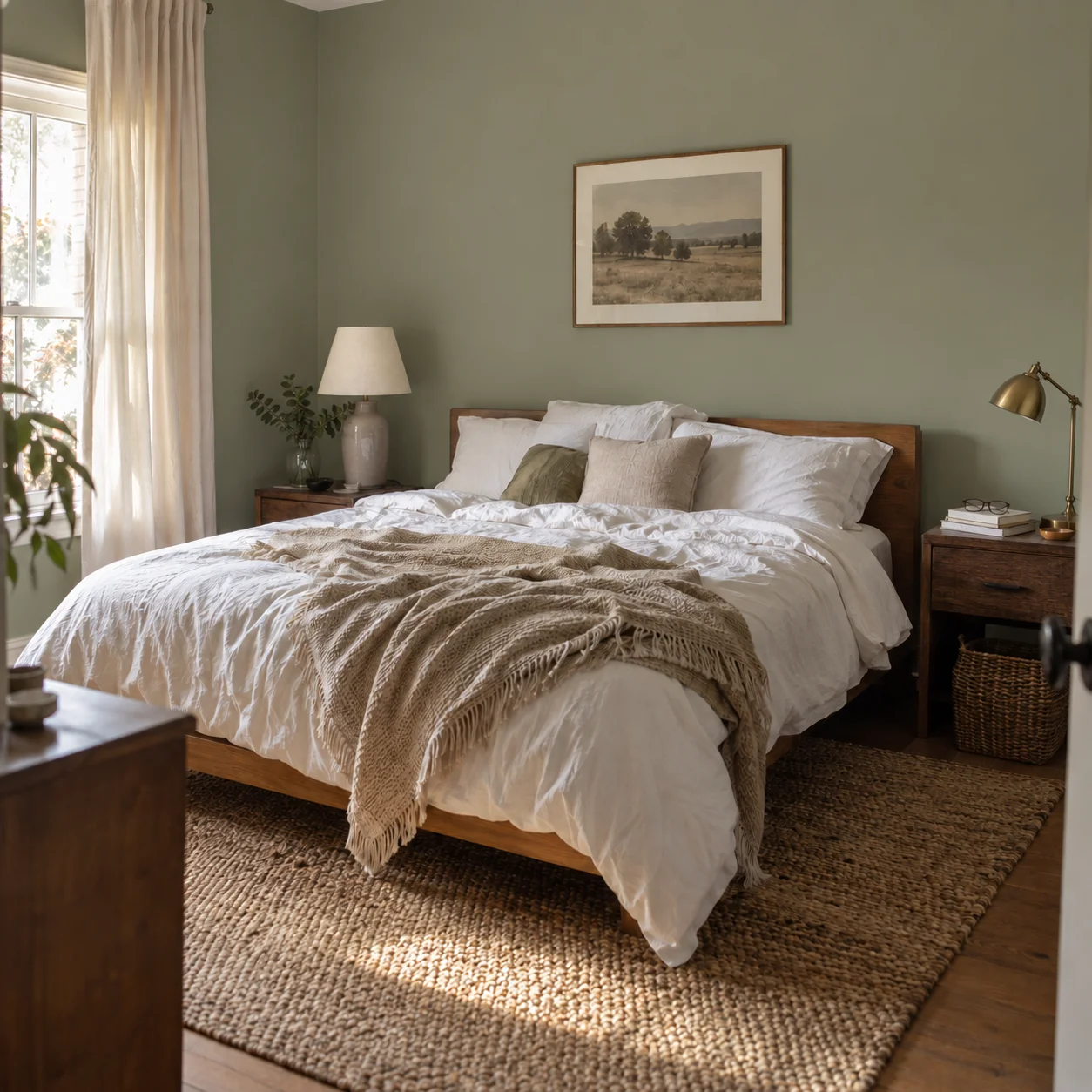
Ask GPT Image 2.5 to change one thing and it changes one thing. Recolor a wall and the bedding, lamps, rug, shadows, and morning light stay put. Swap a cushion and the sofa, throw, plants, and camera angle do not shift. This precision also compounds across turns: GPT Image 2.5 carries earlier adjustments forward, so a five-step refinement ends where you intended instead of quietly drifting. For product retouching, real-estate staging, and campaign iteration this is the difference between a usable tool and a novelty.
Prompt
Change only the pale gray wall color to a muted warm sage green. Keep the bed, bedding, lamps, curtains, framed print, rug, book, glasses, flooring, shadows, morning light, and camera angle unchanged. Preserve realistic wall texture and natural color interaction with the existing daylight.
Wall recolored, everything else untouched
Cushion swap with stable composition
Posters, Text and Layout in One Shot
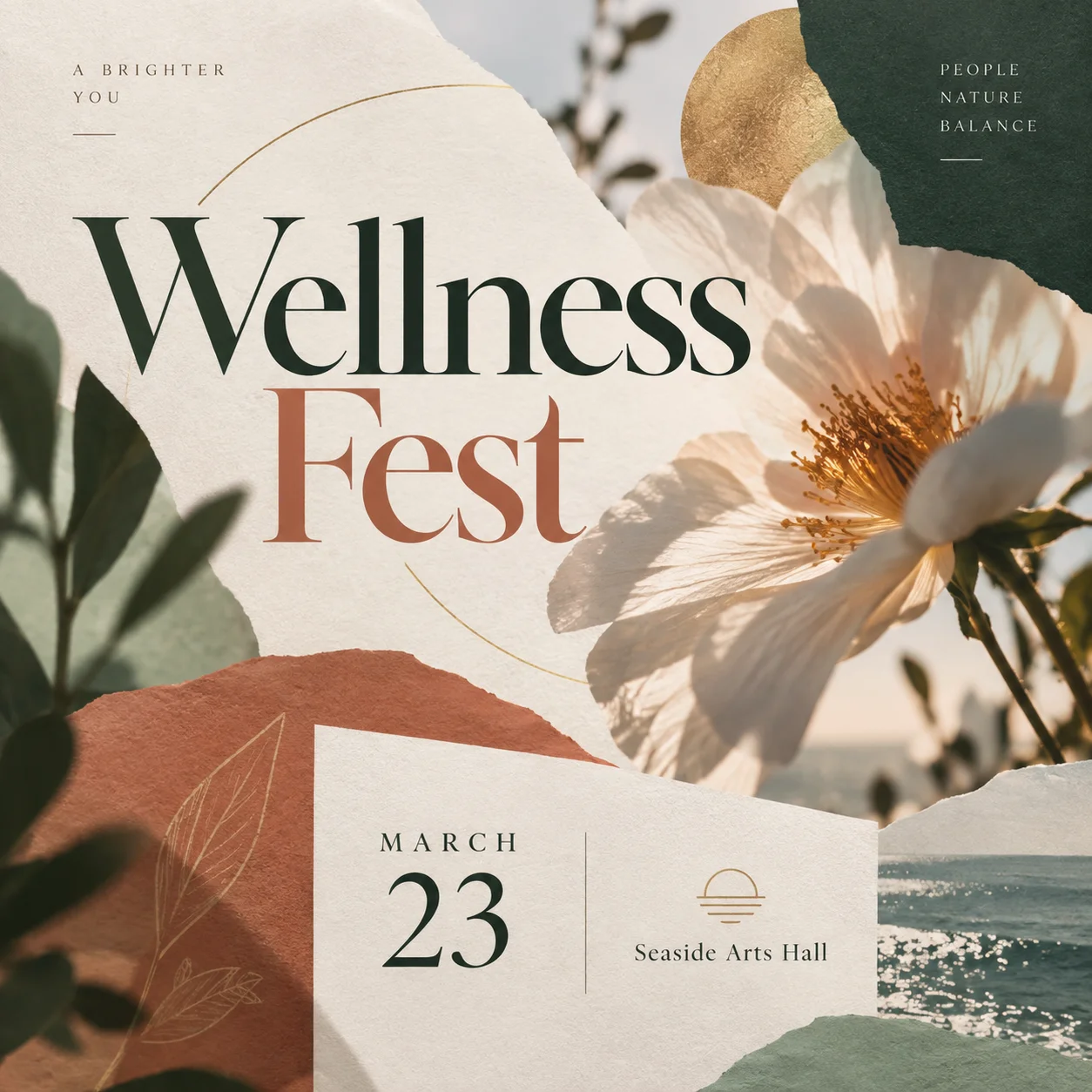
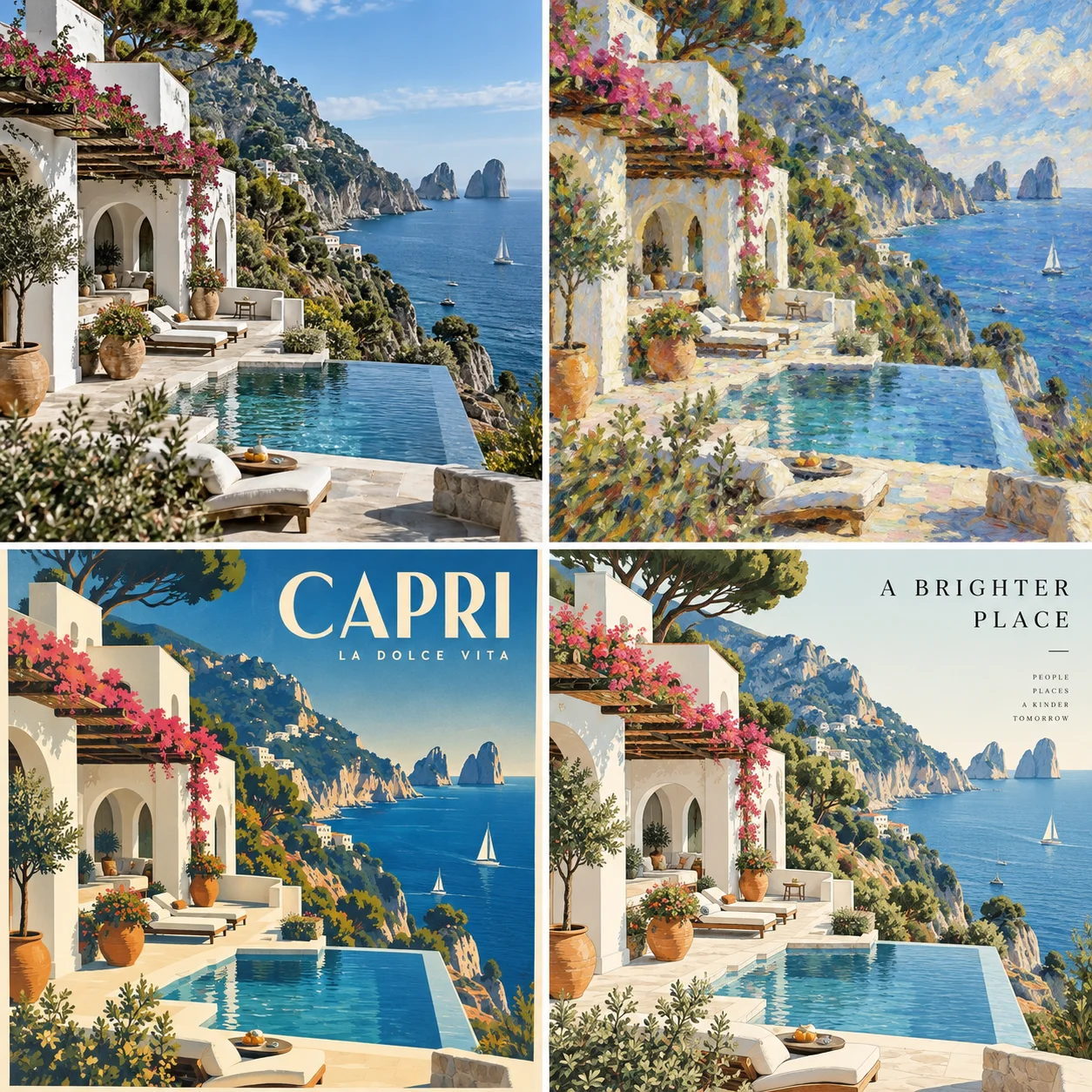
GPT Image 2.5 inherits the in-image text rendering that made GPT Image 2 popular and adds better layout discipline. Headlines land where a designer would put them, dates and venues sit in a proper footer, and a four-poster set keeps a consistent palette and typographic voice across every frame. Dense small type is still the hardest case for any image model, so keep body copy short, but for event posters, merch graphics, social tiles, and packaging concepts GPT Image 2.5 gets you to a presentable draft in a single generation.
Prompt
Elegant editorial poster for 'Wellness Fest': oversized serif headline in deep green and terracotta, pressed peony illustration, a small card in the corner reading 'March 23 · Seaside Arts Hall', muted sage background, generous whitespace.
Event poster with legible headline and footer
Four-frame travel poster set, consistent style
Photoreal Light, Skin and Material
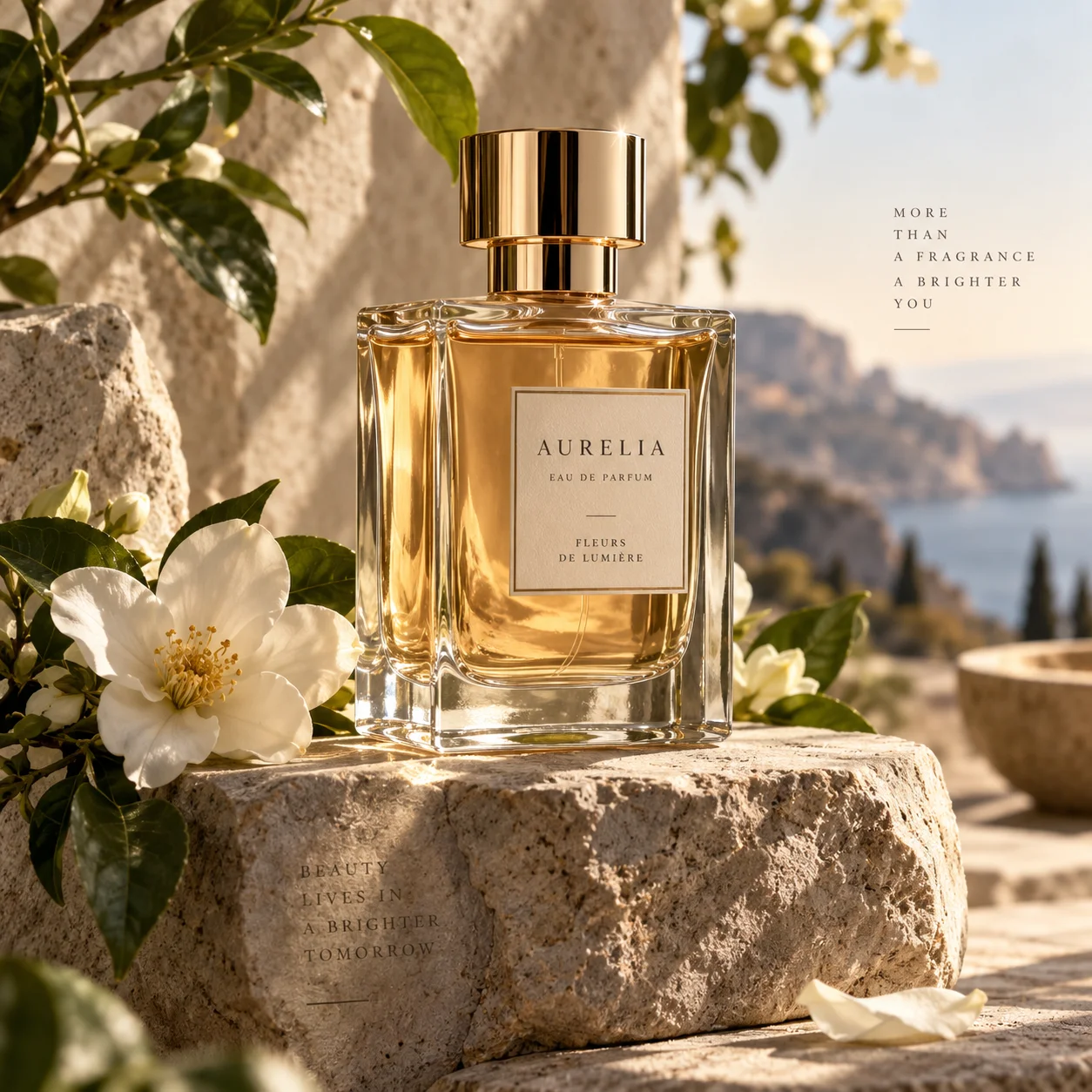
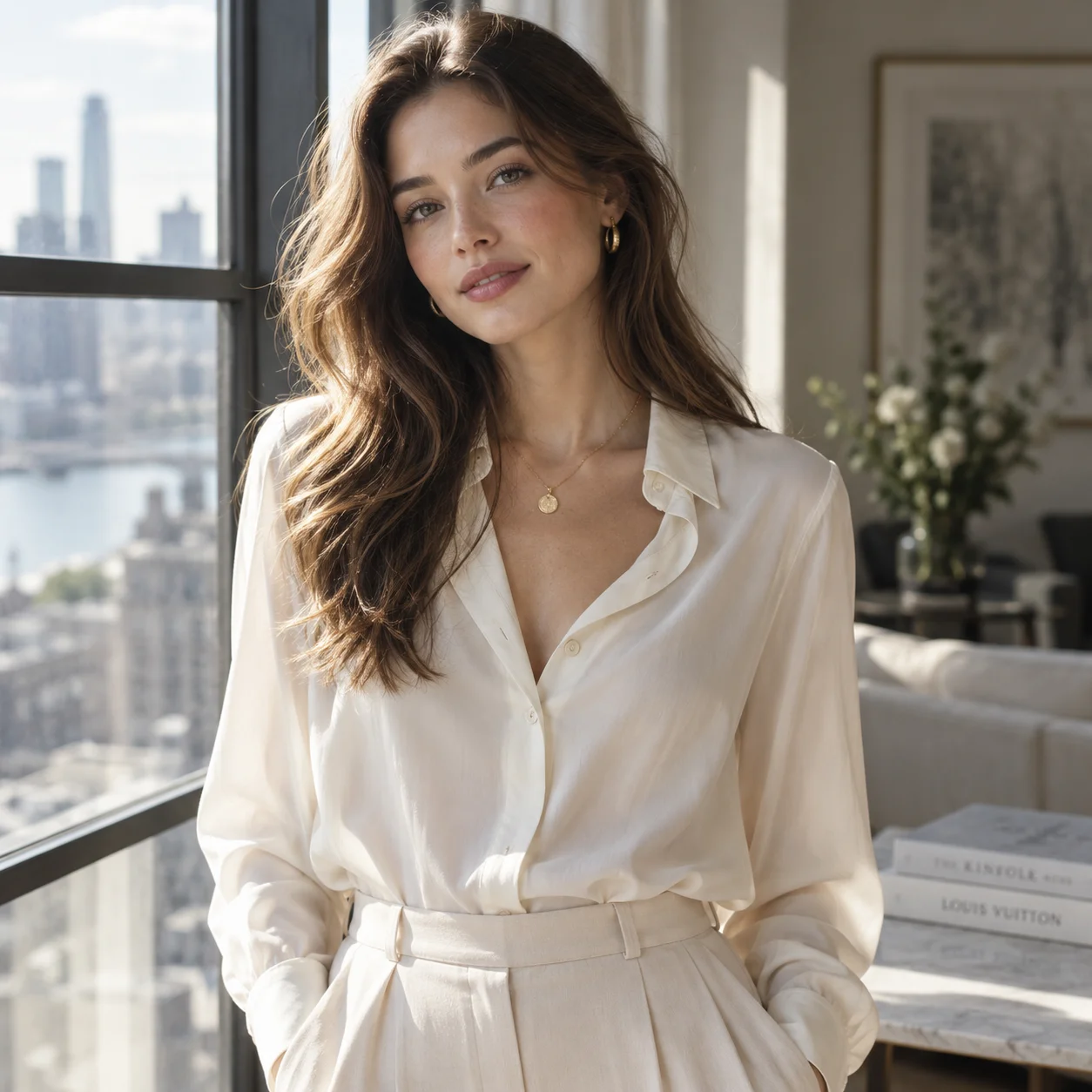
The most visible upgrade from GPT Image 2 to GPT Image 2.5 is how light behaves. Golden-hour rim light wraps a glass perfume bottle correctly, jasmine petals cast soft shadows on rough stone, and a studio portrait shows natural skin texture and fabric drape instead of the plastic smoothness older models produced. GPT Image 2.5 is built on OpenAI's autoregressive image architecture rather than diffusion, which is why it follows instructions so literally while still delivering this level of realism. Product teams, photographers, and e-commerce sellers get shots that look captured, not generated.
Prompt
Luxury perfume bottle labeled 'Aurelia' standing on a weathered stone ledge above the Mediterranean at golden hour, white jasmine flowers around the base, soft warm rim light, shallow depth of field, editorial product photography.
Product shot with realistic glass and light
Studio portrait with natural skin and fabric
Use cases
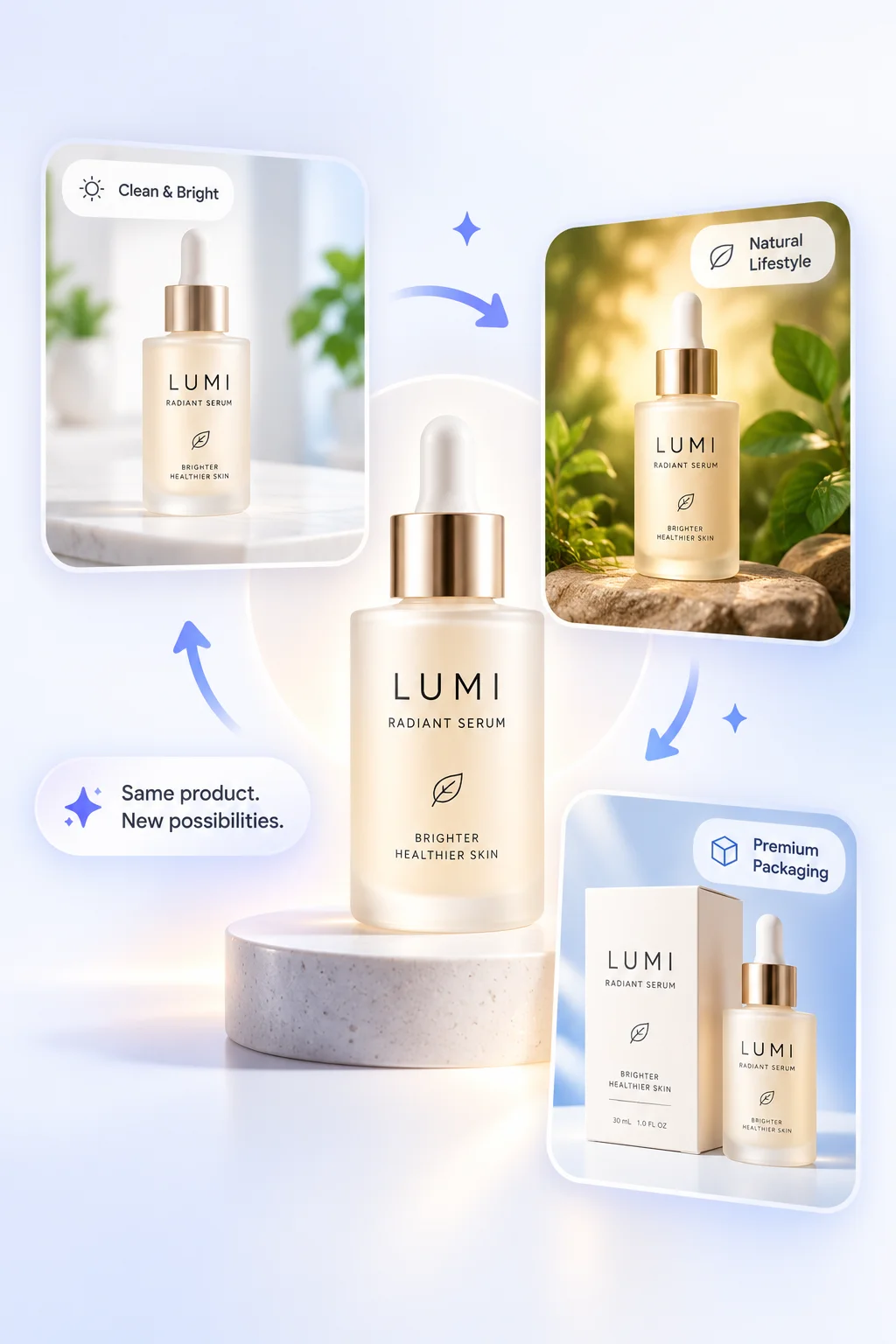
Product Scenes from One Reference
Upload a single packshot and let GPT Image 2.5 place the product in a bathroom shelf, a lifestyle flat lay, or a premium packaging scene while keeping the label, shape, and color exactly as shipped. Generate a whole catalog of environments in minutes instead of booking a studio.
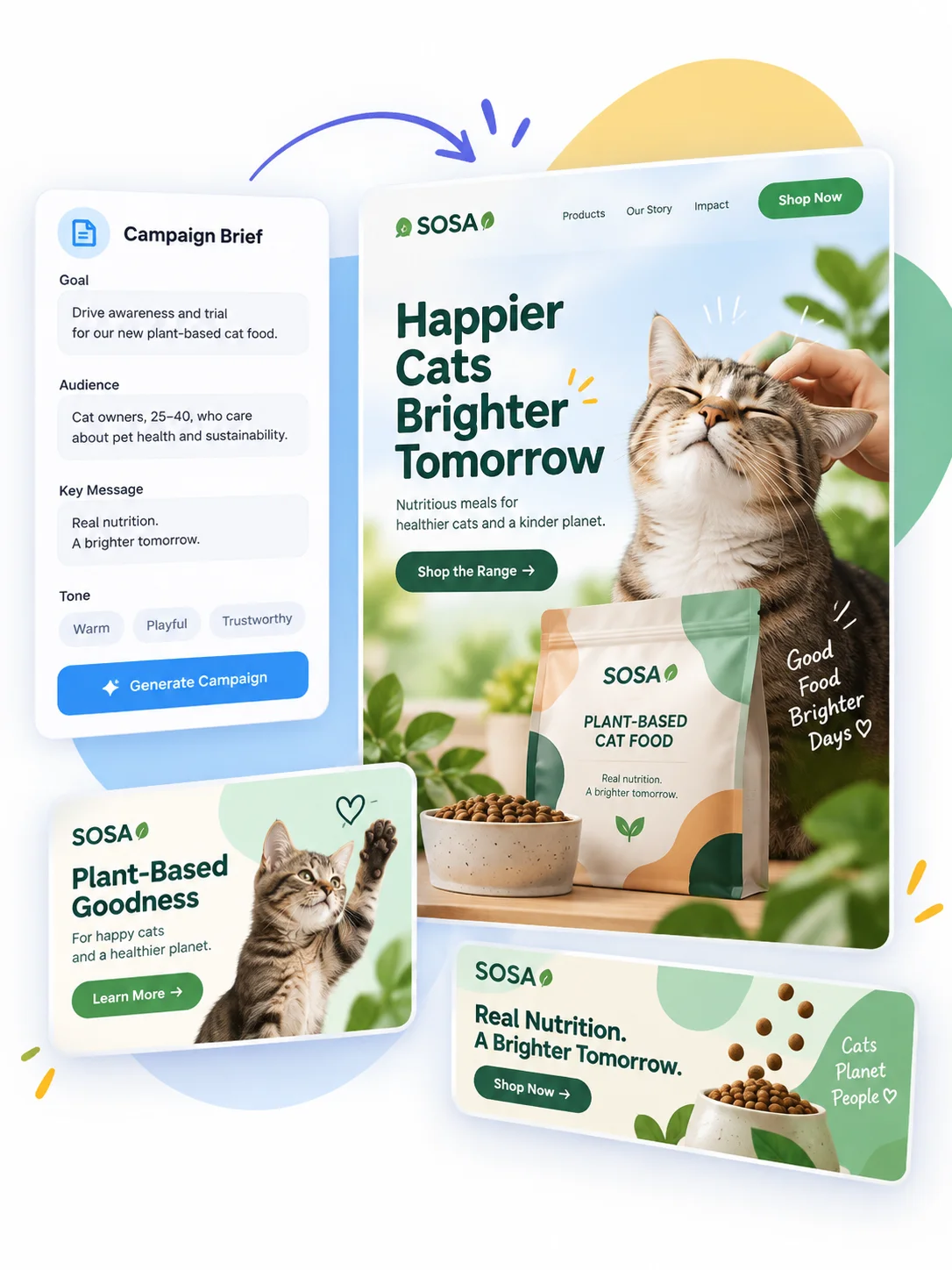
Campaign Creative from a Brief
Feed GPT Image 2.5 a campaign brief with audience, key message, and tone, and generate the hero banner, social tiles, and product cards as a matching set. Multi-turn editing lets you adjust the headline or swap the hero image without losing the established visual direction.

Presentations and Infographics
Charts, growth callouts, slide layouts, and diagram-style visuals come out structured and readable. GPT Image 2.5 understands real-world information well enough to keep labels sensible and numbers legible, which makes it practical for decks, reports, and explainer graphics.
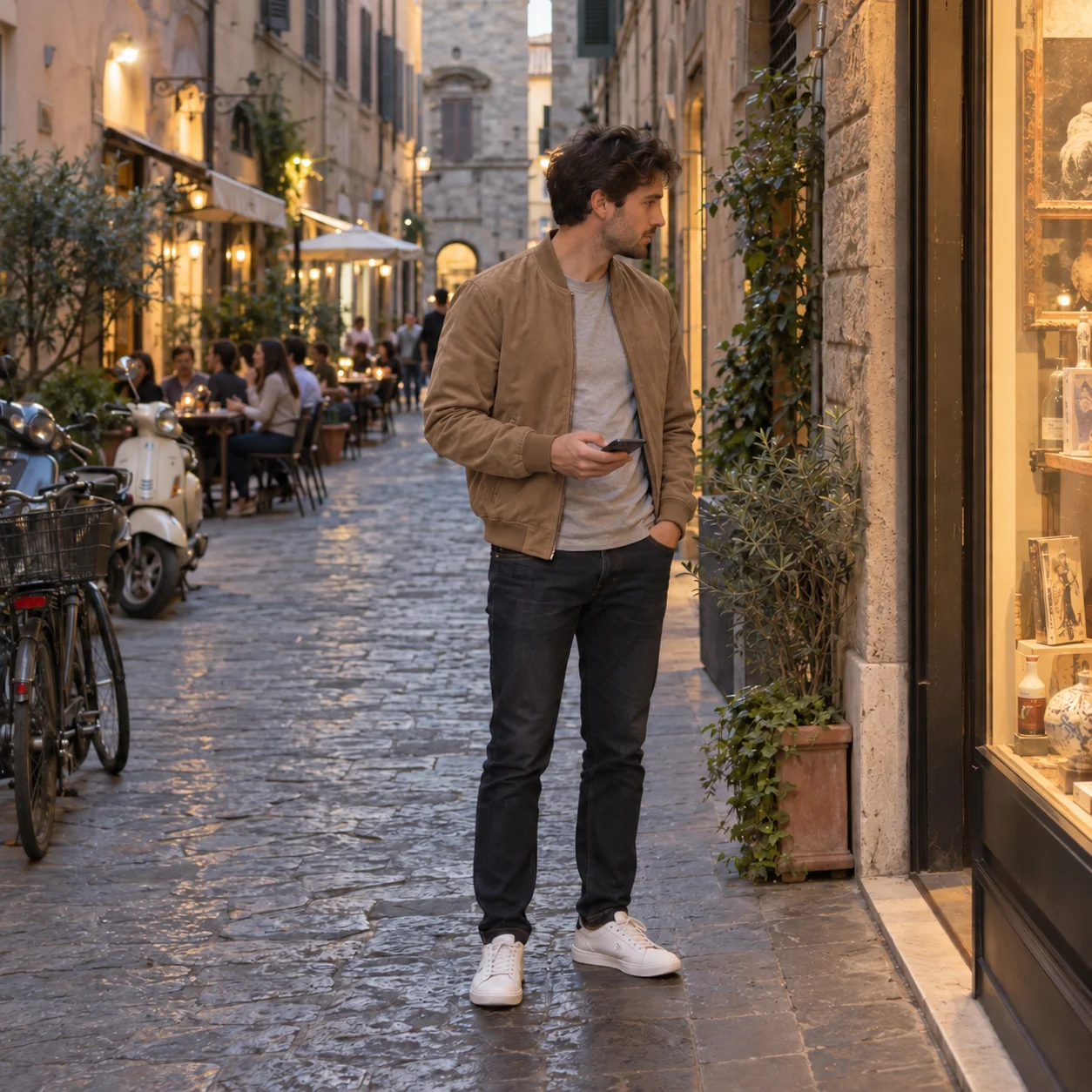
Lifestyle and Editorial Photography
Candid street scenes, café portraits, interiors, and travel imagery with believable light and natural color. GPT Image 2.5 avoids the over-saturated, over-smoothed look, so lifestyle content for blogs, listings, and social feeds passes as photography.
How to Use
- 1
Write a concrete prompt
Describe the subject, setting, light, and any text you need. GPT Image 2.5 handles long, multi-clause prompts up to 20,000 characters, so include the details that matter rather than hoping the model guesses.
- 2
Add reference images (optional)
Drop in 1 to 16 reference images to preserve a face, product, or layout. GPT Image 2.5 switches to image-to-image automatically and keeps the recognizable features intact while applying your instructions.
- 3
Choose tier, ratio and resolution
Start with GPT Image 2.5 Flare for fast drafts, then switch to GPT Image 2.5 Sunburst for the final pass when precision matters. Pick one of 13 aspect ratios and 1K, 2K, or 4K output. Four narrow ratios (27:16, 16:27, 9:8, 8:9) are 1K only.
- 4
Generate, then edit in place
Review the result, then ask for targeted changes: recolor, replace, add text, remove an object. GPT Image 2.5 applies each edit without disturbing the rest of the image, so you can iterate to a finished asset in a few turns.
Try GPT Image 2.5 now
OpenAI's newest image model, live today. Flare for speed, Sunburst for polish, from 3 credits per image. Open Workspace and start generating.
Try in WorkspaceFrequently Asked Questions
What is GPT Image 2.5?
What is the difference between GPT Image 2.5 Flare and GPT Image 2.5 Sunburst?
How much does GPT Image 2.5 cost on this site?
Does GPT Image 2.5 support image-to-image and multiple references?
What resolutions and aspect ratios are available?
GPT Image 2.5 vs GPT Image 2: should I switch?
GPT Image 2.5 vs Nano Banana Pro: which one should I pick?
What are the known limitations of GPT Image 2.5?
Also Try
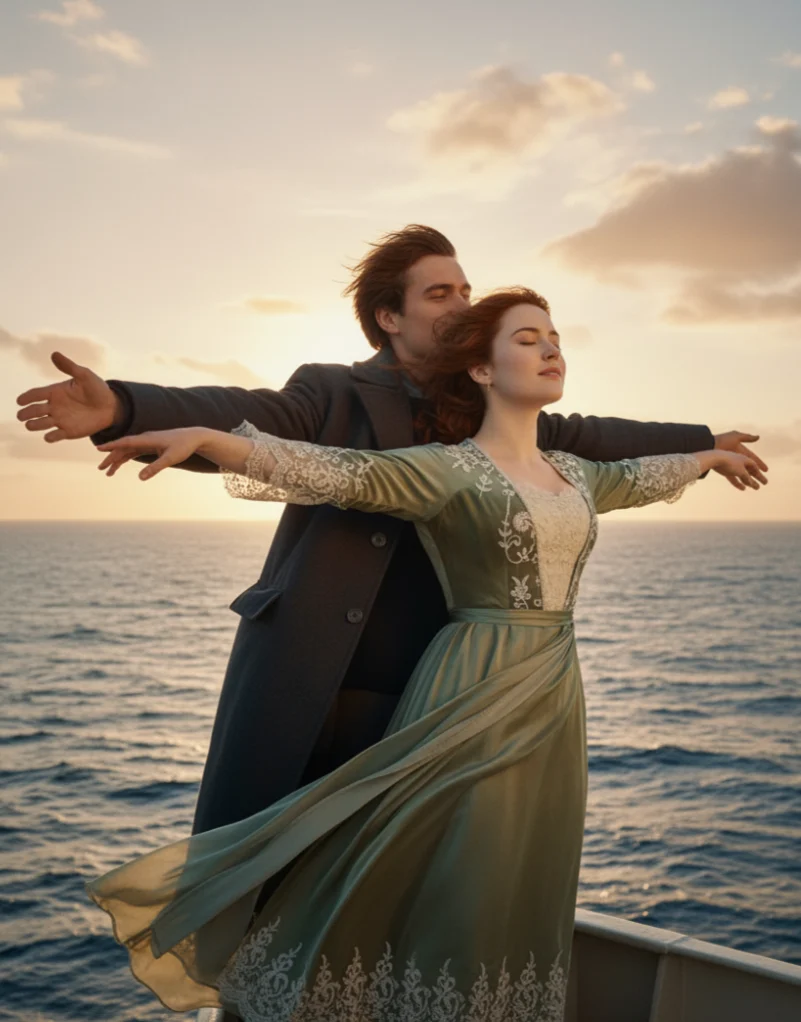

Nano Banana
Generate stunning AI images with Nano Banana. Fast, versatile, and free to start. Create beautiful artwork, photos, and designs with text prompts.
Nano Banana Pro
Professional AI image generation with Nano Banana Pro. Higher resolution, better detail, and advanced features for professional creators.
Nano Banana 2
The latest Nano Banana 2 model. More affordable, supports up to 10 reference images, and delivers excellent quality at lower cost.

Z Image
Fast and affordable AI image generation with Z Image. Text-only generation at just 4 credits per image. Perfect for quick iterations.

GPT Image 2
GPT Image 2 is OpenAI's next-gen image model for in-image text rendering, pixel-level editing, and world-knowledge-driven realism. Supports text-to-image and image-to-image with up to 16 reference images.